When trading, setting effective Stop Loss and Target points is crucial for managing risk and maximizing profits.
1. What is ATR?
The Average True Range, developed by J. Welles Wilder Jr., is a technical analysis indicator that measures market volatility. Unlike indicators that focus on price direction, ATR quantifies the degree of price fluctuation over a given period. It calculates the average of the “true ranges” over a specified period (typically 14 periods). The “true range” considers the greatest of the following:
Current high minus the current low.
Absolute value of the current high minus the previous close.
Absolute value of the current low minus the previous close.
By considering these 3 possibilities, ATR captures volatility even when gaps exist between trading days or during limit moves.
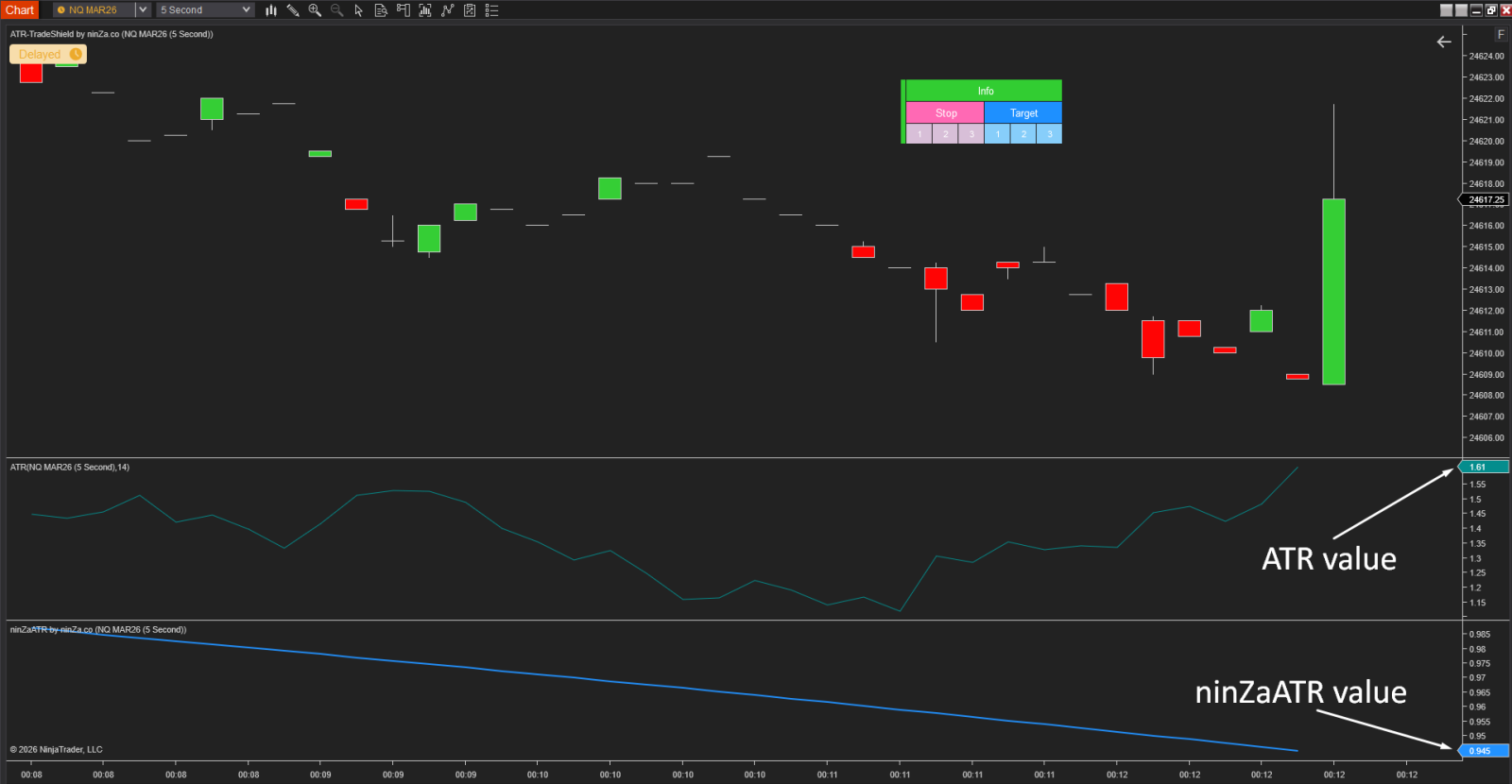
2. How our ATR-TradeShield supports your trading ?
ATR-TradeShield is an advanced auto trailing stop system, designed for automatic and dynamic risk management, so you can trade smarter, stay consistent, and save time.
🔧 What ATR-TradeShield can do for you:
✅ Dynamic Stop/Target placement using customizable ATR multiples (e.g., 2×ATR, 3×ATR)
✅ Supports up to 3 Stop/Target levels per trade — perfect for scaling in/out
✅ Auto-adjusts Stops and Targets as price moves — no need to update manually
✅ One-click control to auto merge or split your Stop/Target levels
✅ Choose between classic ATR or the enhanced, flexible ninZaATR
With ATR-TradeShield, your risk management becomes automated, adaptive, and disciplined - helping you focus more on strategy and less on micromanaging trades.
3. How we set up ATR-TradeShield on your chart ?
3.1. Set up ATR-TradeShield with 1 Level
First, please set up an ATM with 1 Stop and 1 Target, because ATR-TradeShield needs to borrow the ATM’s level in order to trigger its own level.
For example:
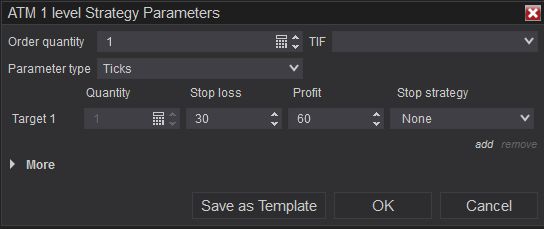
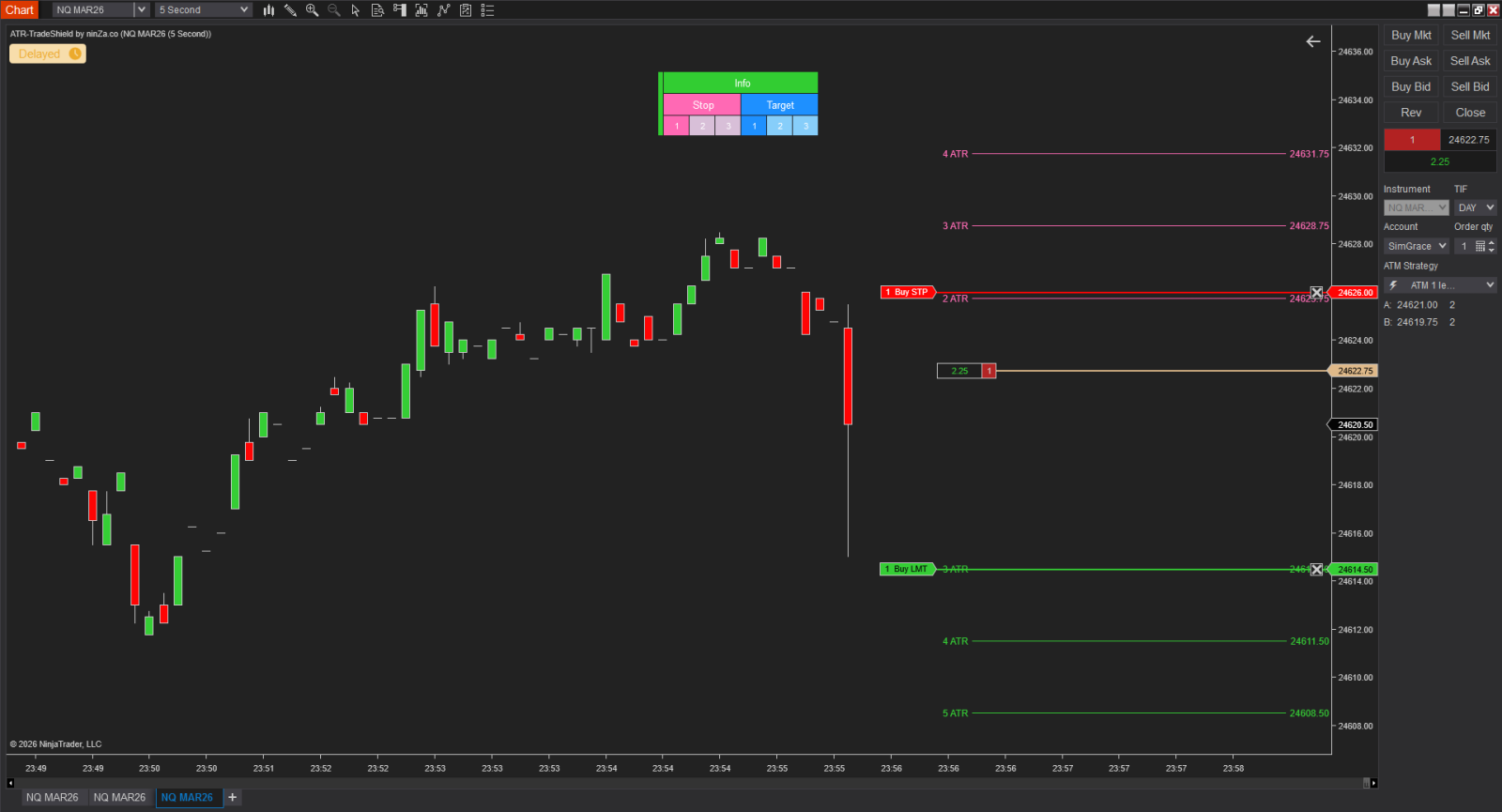
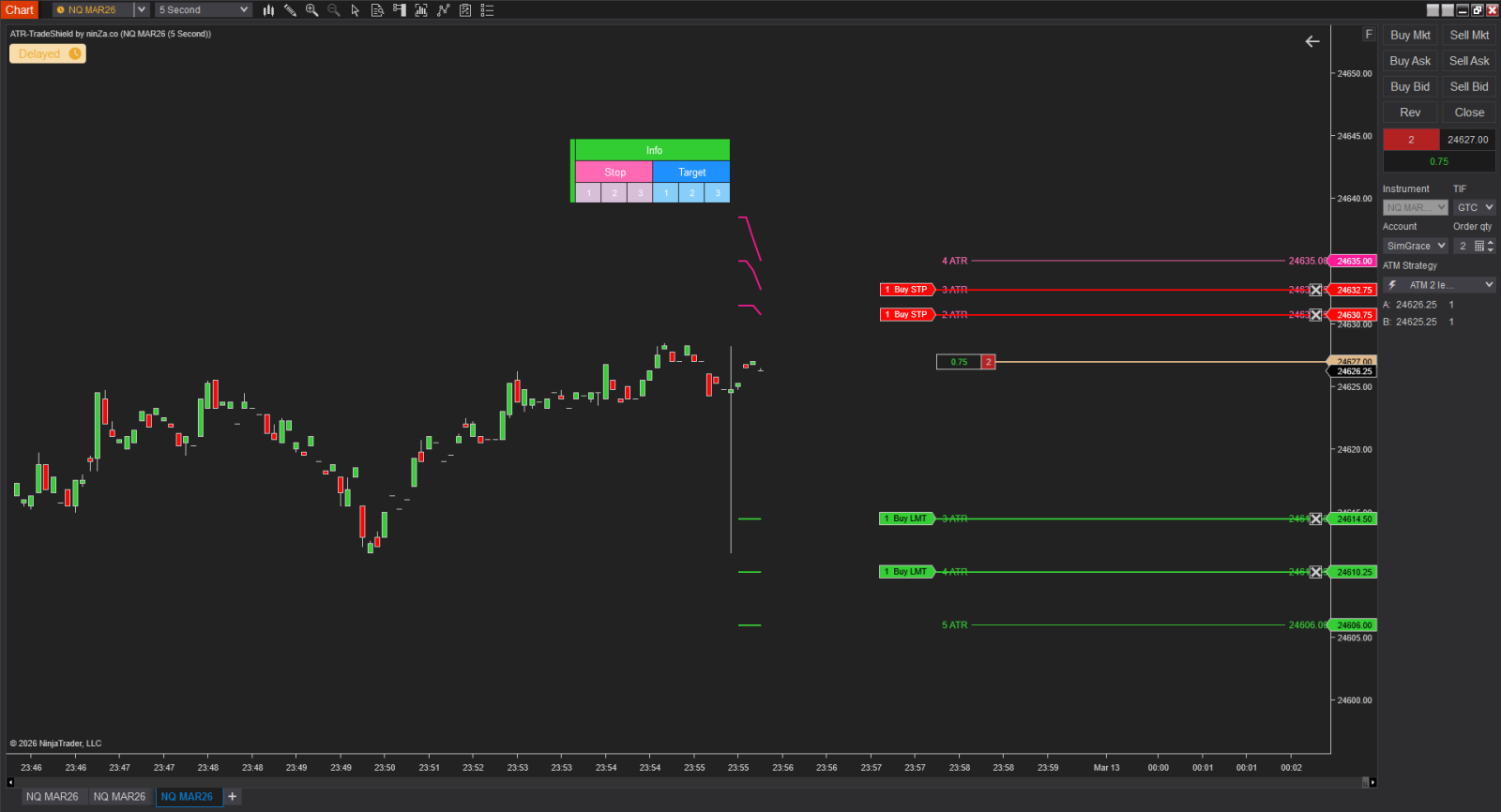
3.2. Set up ATR-TradeShield with 2 Levels
We will set up an ATM with 2 Stop and Target levels, because ATR-TradeShield needs to borrow the ATM’s level in order to trigger its own level.
For example:
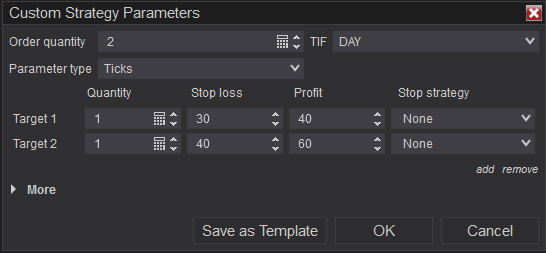
3.3. Set up ATR-TradeShield with 3 Levels
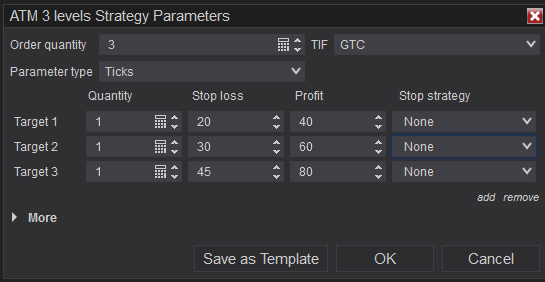
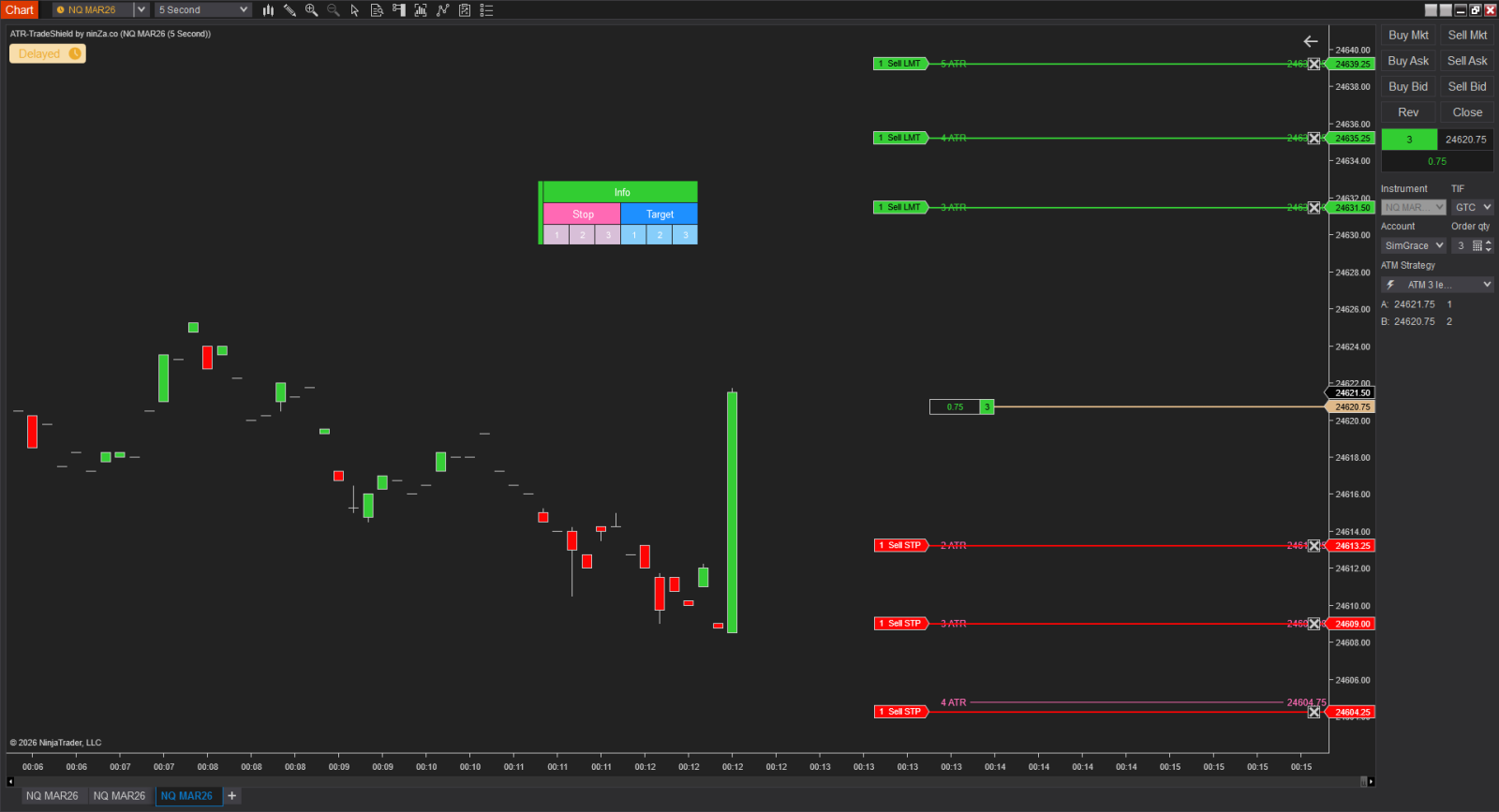
We will need to set up an ATM for 3 levels for ATR-TradeShield also
For example:
4. How to Tick of ATM to ATR level to put into ATR-TradeShield ?
Here’s the simple way to convert ATM ticks → ATR level for ATR-TradeShield for you.
1️⃣ Understand the relationship
- ATM uses Ticks
- ATR-TradeShield uses ATR multiples
- 1 point of ATR = 4 ticks
So the idea is: ATR Level = ATM Stop (ticks) ÷ (ATR × 4)
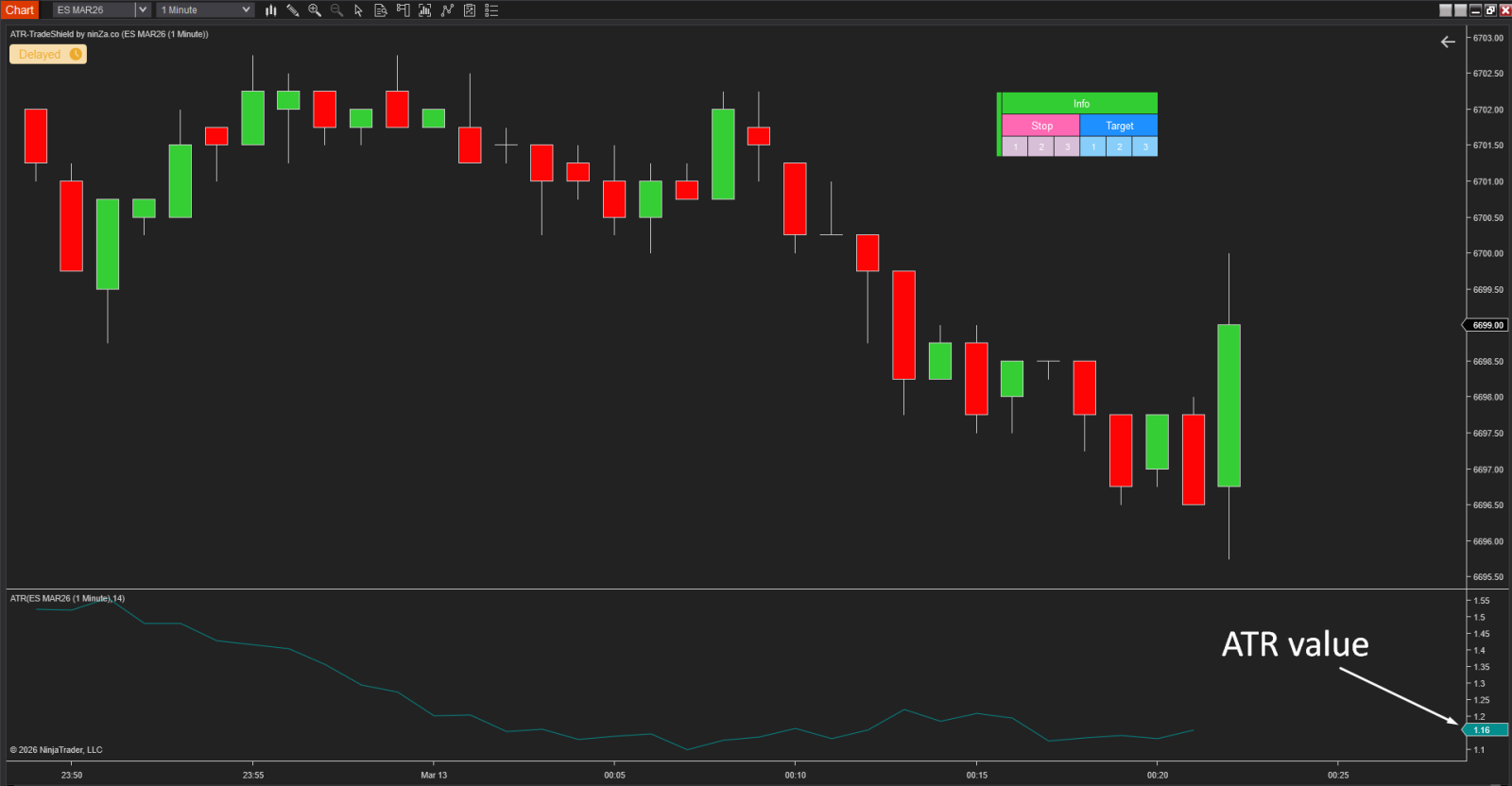
2️⃣ You check the current value of ATR in the instrument you trade
For example: here is the current value of ATR on ES 1M
3️⃣ Convert your Stop/Target from your ATM to ATR value
If: ATM Stop = 20 ticks, Target = 40 ticks and current ATR = 1.16
Then:
- ATR Level for Stop = 20÷(1.16 x 4) = 4 ATR,
- ATR Level for Target = 20÷(1.16 x 4) = 8 ATR
👉 You would set these ATR levels value into ATR-TradeShield:
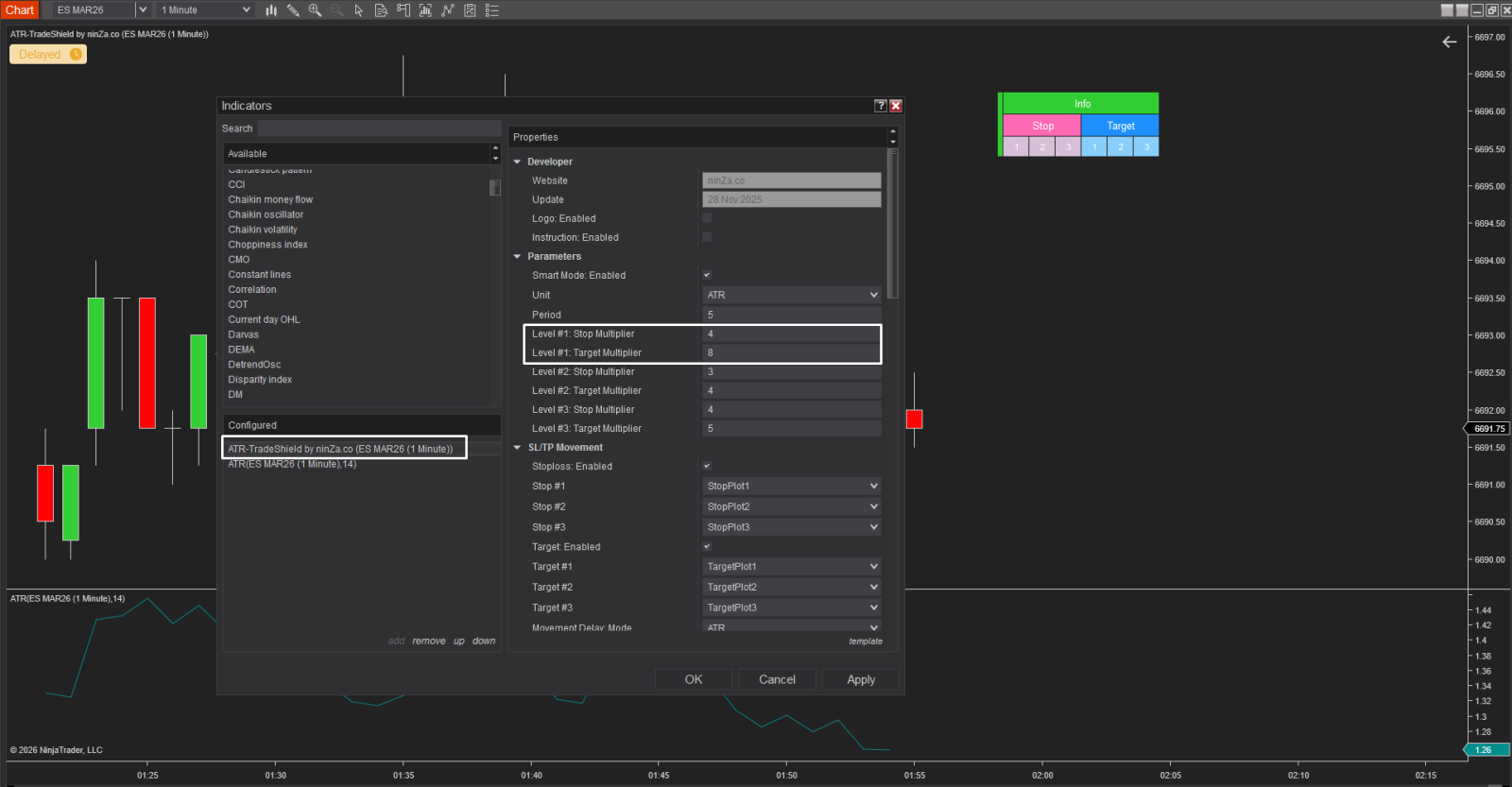
For your convenience, I have created this auto-calculated board:
→ https://docs.google.com/spreadsheets/d/1vgqIKKfG2P-W-AonawSp4HoSpxpjs-cL9xBGK9Pa4lc/edit?usp=sharing
You simply enter the current ATR value and the Stop/Target size you want, and it will automatically calculate the ATR level needed to set up in ATR-TradeShield.